



Smallest vision systems
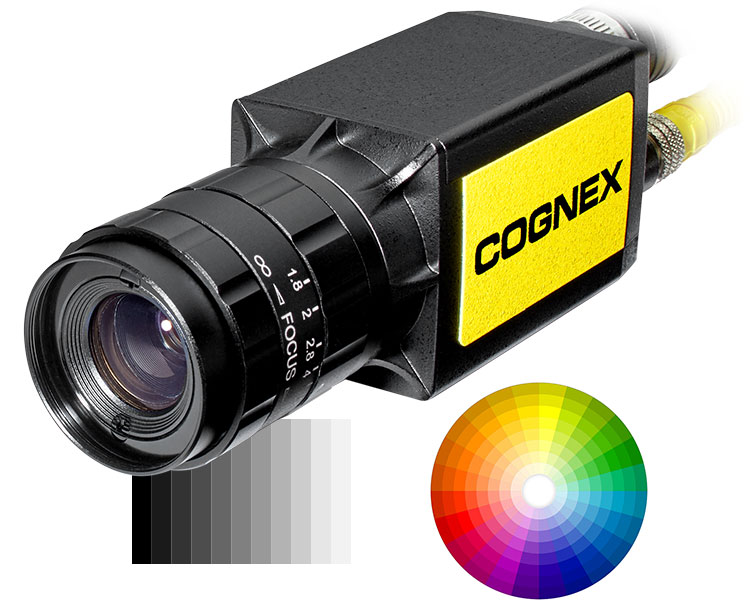
In-Sight 8000 compresses an entire self-contained vision system into an amazingly small package about the size of a traditional image-capture-only camera. All In-Sight 8000 models can be mounted at angles of up to 45-degrees using the In-Sight non-linear calibration tool. These vision systems are ideal for integrating into tight spaces on robots and hard-to-reach machinery anywhere on the production line.
The In-Sight 8000 models deliver high-performance vision tools, faster communication speeds, and high resolution in a small package that is ideal for integrating into small spaces where machine space is a premium.
A pattern matching breakthrough
RedLine was designed with one goal in mind: blazing fast pattern matching on all In-Sight 8000 series vision systems. In typical applications, PatMax RedLine runs 4 to 7 times faster than PatMax – or faster! – with no loss of search accuracy or robustness. Together with PatMax RedLine, the In-Sight 8000 series can reduce cycle times and increase throughput without compromising inspection accuracy.
Unmatched performance and reliability
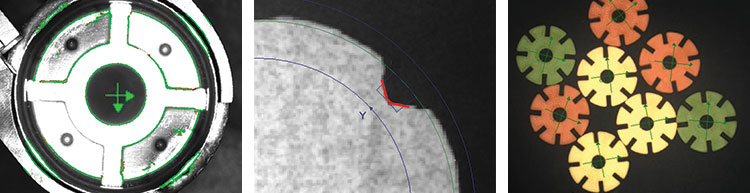
Every In-Sight 8000 vision system model delivers best-in-class performance. Most models are equipped with a full library of proven Cognex vision tools through the easy to use In-Sight Explorer software. These include Pattern Matching (PatMax Redline, PatMax, and PatFind), Filtering (Grayscale and Color), Color tools (Color ID, True Color Extraction, Color Histogram), Inspect Defects (Surface Flaw, Flex Flaw, Inspect Edge), and ID (PowerGrid, Hotbars, OCR).
Easy to deploy and maintain
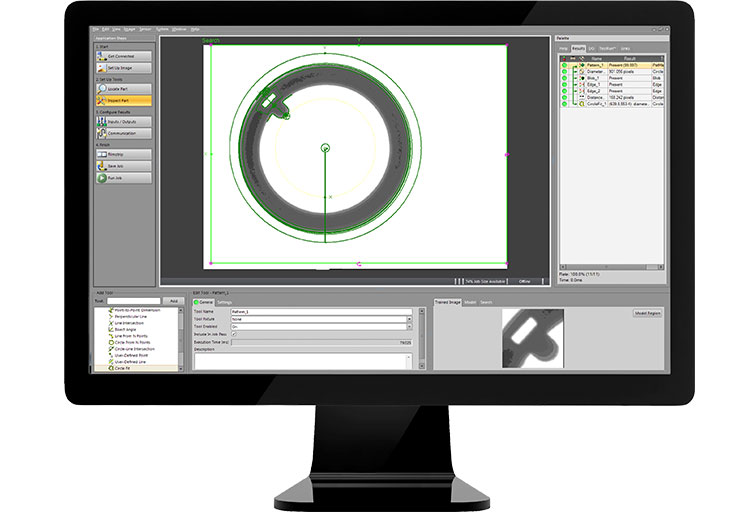
In-Sight 8000 series vision systems are conveniently setup with the In-Sight Explorer software. In-Sight Explorer combines the guided step by step setup of EasyBuilder with the additional power and flexibility of the spreadsheet for greater control and customizing of application data. TestRun system validation, Cognex Connect suite of communications protocols and the Cognex Explorer control center gives you the tools you need to keep your line operating on schedule and at full throughput.

1 HDR+ supported on monochrome models only.
2 The In-Sight 8505P/8500P/8501P/8502P vision systems must be connected to a Class 0, 3 or 4 PoE power source, rated for at least 12.95 Watts. The CIO-MICRO I/O module is a Class 2 PoE device and therefore cannot be used to supply power to the In-Sight In-Sight 8505P/8500P/8501P/8502P vision system via the I/O module’s PoE port.
In-Sight Explorer Software
All In-Sight vision systems use In-Sight Explorer EasyBuilder to set up and monitor machine vision inspections. The intuitive interface guides operators through a step-by-step setup process allowing both novice and experienced users to configure vision applications quickly and easily.
The majority of applications can be solved using the point-and-click EasyBuilder interface, however should your application requirements change, the In-Sight spreadsheet provides you with ultimate control through direct access to the vision tools and communication options. Access to the spreadsheet not only provides programming flexibility to make essential adjustments, it also offers assurance that you will be able to solve any of your vision applications.
Blob Tools
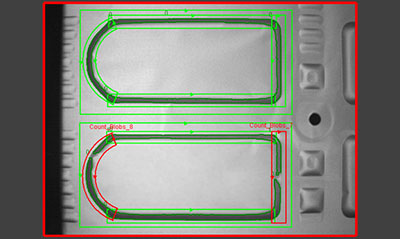
Blob tools are used to detect features have similar shades of grey scale. Blob is very useful for quantifying defect sizes or for locating features that do not have a repeatable shape. Blob can be used for monochrome and color images to quantify the amount of a particular color present.
Edge & InspectEdge Tools
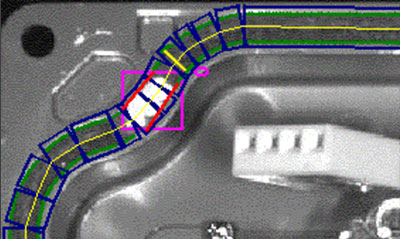
Edge tools are used to detect dark and light transitions on a part. Edge tool results can be used to measure distances and can also be used to inspect by counting the number of edges found. Edges can also be used to detect and measure circles and arcs. The InspectEdge tool tracks an edge of a part to inspect for defects.
Flaw Detection Tools
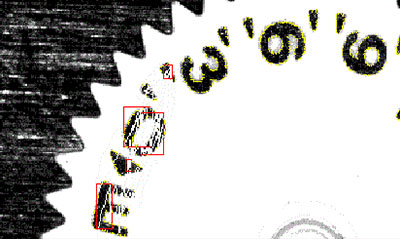
The Flaw Detection tools, including Flex Flaw and Surface Flaw, are used to inspect contours and the surface area of parts. These advanced technologies are able to adapt to variations in lighting and in part appearance.
Geometry Tools
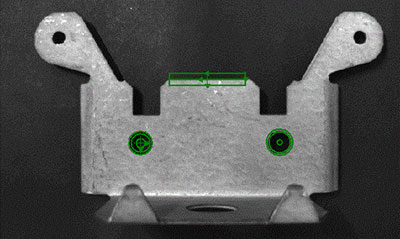
Geometry tools are used to measure critical dimensions of a part with point-and-click simplicity. Angles, arcs, diameters and point-to-line distances use real world calibration to provide accurate and repeatable results.